![ID-logo-colour_version_2.png]](https://answers.id.com.au/hs-fs/file-2628100188-png/images/ID-logo-colour_version_2.png?height=40&name=ID-logo-colour_version_2.png)
This release adds new ways to find locations, create catchments and explore population by age in Placemaker.
What's New
Location search on the map
Search for any Australian address, suburb or place name and jump straight to it on the map. The search bar sits in the map header and returns matched locations as you type, so finding a starting point for catchment creation is faster.

See How to go to a location in Placemaker.
Faster catchment creation
Start a catchment directly from a search result or by dropping a pin on the map. When you press Enter on an address, the catchment panel opens. Selecting the new 'Drop a pin' button opens the same panel. The underlying catchment methods are unchanged.

See How to create a catchment in Placemaker.
You can also expand or collapse the catchment panel to give the map more room. Useful when you want to explore an area in detail before defining a catchment boundary.

See How to create a catchment in Placemaker.
Population by age on the map and in Insights
View population by age across the map and within the catchment Insights.
On the map, use the Layers panel to display age structure for any age range combination at all available boundaries.

On the Insights page, use the filter panel to construct your preferred age ranges. Charts and tables update to show the selected ranges.

See How to view population forecast data by geography in Placemaker and How to generate insights for a catchment in Placemaker.
SA3 boundary on the map
View map data at SA3 (Statistical Area Level 3), useful for regional analysis where SA2 is too granular and SA4 too broad. Available in the Layers panel alongside SA1, SA2, SA4 and State.
See How to view population forecast data by geography in Placemaker.
Feedback form
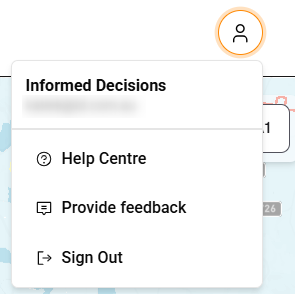
Send feedback directly from Placemaker. From the menu at the top right of the screen, select Feedback. Your feedback goes to the Placemaker Product Manager and is reviewed for the product roadmap.
Data Updates
Forecasts for the following SA4s were published in May 2026:
- Western Australia – Outback North (510)
- Western Australia - Outback South (511)
Questions?
Contact your .id account manager or see How to contact .id support or provide feedback.